

















Scanning a QR code has become more of a basic life skill than a necessity. They are literally everywhere and it’s hard to avoid them. From restaurant menus to payment options, stores, and much more – scanning QR codes is essential for making payments and getting access to things digitally.
Here’s How You Can Scan A QR Code On Your iPhone
- Open the camera of your phone. This can be done by swiping left from your lock screen as well as can be searched on the search bar of your home screen.
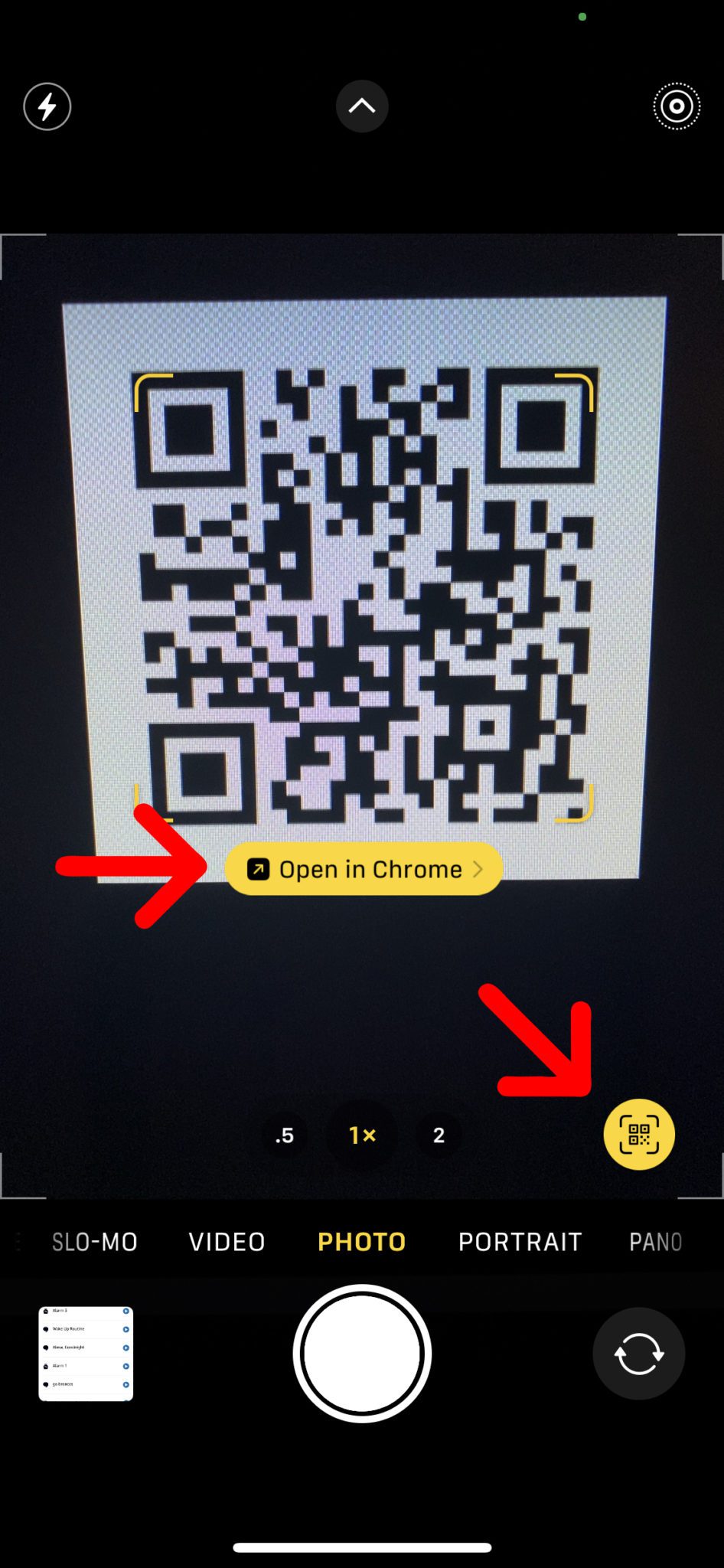
- Once you point the camera at the QR code, make sure to cover all the edges so it can scan easily. Once you scan the QR code, you can see a pop-up banner above it. Meanwhile, a yellow QR code icon will also appear in the bottom right corner.
- Tap the pop-up banner right in the middle of the QR code and it will eventually take you to the website. Now you can perform the desired action as mentioned on the QR code.
- In case you can’t find the QR icon, make sure that you have the Scan QR Codes feature enabled. Open Settings > Camera and tap the slider next to Scan QR Codes. The icon will turn green once it is on.
Read More: How To Make Web3 Safer For Users?
Here’s How You Can Scan A QR Code On Your Android
- Open the camera app by swiping left on your lock screen or typing camera on the search bar of your home screen.
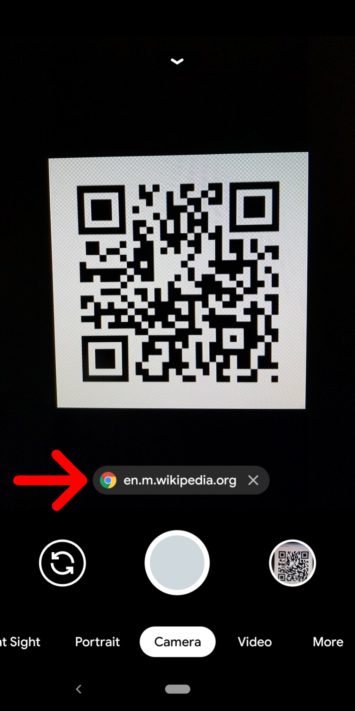
- Point your camera at the QR code and cover all the edges so it can scan easily. A pop-up banner will appear which will take you to the webpage.
- Here, you can perform the desired action which is mentioned on the QR code so make sure what you are looking for.
- In case the banner doesn’t appear, you can use Google Lens. Look for the Lens icon (it looks like a circle inside a broken box) somewhere on your screen. Then place the QR code in the white lines and tap the magnifying glass icon to scan it.
- The Lens option can be opened by tapping and holding the QR code on your screen. You can see a multi-colored spinning wheel. Tap the pop-up banner when it appears above the QR code and it will take you to your desired link.
Read More: How Biotech Can Revolutionize Healthcare
Stay tuned to Brandsynario for the latest news and updates.