















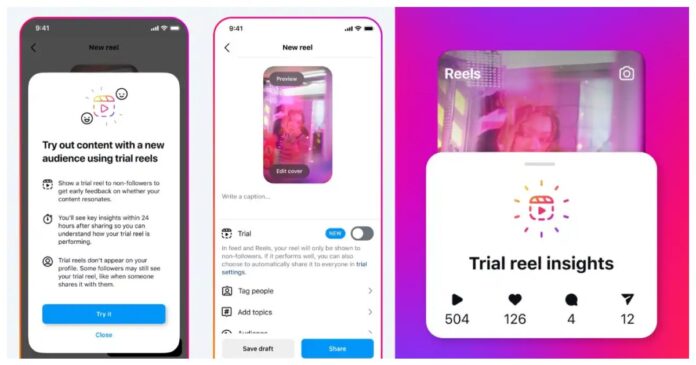

Instagram’s new Trial Reels feature lets creators test content concepts with non-followers before sharing them with their audience. This approach helps creators experiment beyond their niche without impacting their existing follower base.
Read more: Instagram Introduces Message Scheduling Feature for DMs
Instructions for Sharing a Trial Reel:
Step 1: Create a reel as you typically would.
Step 2: Prior to sharing, activate the ‘Trial’ option.
Step 3: Share the reel.
Once shared, the trial reel will be stored in your drafts section. It will not appear on your profile grid or in the Reels tab unless you opt to share it publicly. While your followers will not see the trial reel in their feeds, they may still encounter it through other means, such as shared links or reels utilizing the same audio or filter.
Creators receive engagement metrics like views, likes and shares to decide whether the content should be made public within 24 hours. You can also enable Instagram to automatically publish trial reels that perform well after a 72-hour evaluation. The feature, receiving positive feedback during tests, begins its global rollout today, empowering creators to innovate with confidence.
Stay tuned to Brandsynario for the latest news and updates.